
Best 15 shortspilot.ai Alternatives in 2026 (Free & Paid)

Key Takeaways
- The video generator market across the globe is expected to go beyond $946.4 million in 2026 and grow to over $3.4 billion by 2033.
- Each option has its own purpose, some of which aim for the automation and faceless content, others for the avatars, tales, or better editing.
- Shortspilot.ai tools are great if you need speed, but most creators quickly outgrow them when they need more customization, storytelling, or branding.
- Most platforms provide free versions, so you can get started right away. But, they may have restrictions on watermarks, exports, and more, and serious creators may need to pay up for a premium account.
- The most successful creators don’t just use one platform for their scripting, editing, and publishing efforts.
If you’ve been using Shortspilot.ai to create short films, you’ve probably noticed something: there’s a pile of other users doing the same thing.
What began as a niche tool for automating TikTok and YouTube Shorts is now part of a much larger ecosystem of AI video generators. Creators today want more than automated video; they want better quality, more control, voices, and tools that help them stand out in a crowded feed.
And the numbers back this up.
The global AI video generator market is expected to hit $946 million in 2026 and grow rapidly to over $3.4 billion by 2033. So much growth that almost every month, new tools and better options arrive.
Unfortunately, for faceless content and automatic posting (like Facebook’s post feed), Shortspilot.ai still does a good job. But it’s not perfect. Some creators want more customization, better video storytelling, or even avatar-based videos instead of simple clips.
This is exactly why you should be looking at other tools in 2026. Whether you’re trying to find free tools to get started or to pay for premium services to scale your content, there are plenty of alternatives that might be better for your situation.
In this guide, I’ll walk you through the 15 best Shortspilot.ai alternatives, so you can find the one that actually fits how you create content today.
What is shortspilot.ai?
Shortspilot.ai allows creators to create AI-powered short videos with no faces for platforms like TikTok, YouTube Shorts, and Instagram Reels. Rather than taking video footage of yourself or editing clips manually, the tool does everything from scripting and voiceovers to visuals and captions. You choose a niche or topic, and Shortspilot generates videos ready to post, often designed for viral success. The tool is particularly popular among creators who want to post on a huge number of platforms without appearing in front of cameras.
Shortspilot.ai is very simple to use and consistent. It’s a good app for people who are connected to multiple social media accounts or those that want to explore a topic without spending hours on content creation. Overall, good app but not one to rush through.
Why Look for a shortspilot.ai Alternative?
Some of the reasons why creators are looking for alternatives to Shortspilot.ai in 2026:
1. Creativity without many options can be limiting
Templates with voice over and videos with images are more likely to be used than old videos. It will be harder to make your video stand out. Creators looking to have more control over their videos’ story, branding, or editing style are looking for a tool that allows them more control.
2. Content quality doesn’t always match expectations
With more selective audiences, the quality of regular AI videos may be less desirable. Some users have reported that the visuals, transitions, or script are generic and lazy, so creators might consider looking elsewhere for a higher-quality video, AI narration, or visuals.
3. Lack of advanced customization and Features
Tools such as editing, custom avatars, brand voice, or advanced analytics are sparse and available only on more flexible platforms. Creators who want to customize every aspect of their content go to more robust platforms.
4. Pricing vs. value concerns
Whether it’s more expensive or not, some users simply don’t get the services they pay for. The same holds true if they need more Features or output. With more competitors offering similarly priced (or free) plans, creators automatically compare the products and services on offer to get the best deal for their money.
5. Need for niche-specific or scalable solutions
Some creators are out to have multiple faceless channels, while others are focused on creating a single brand with a strong identity. Shortspilot.ai is not for every purpose, and so, some users may want to explore other services that better fit their niche, workflow, or long-term plan.
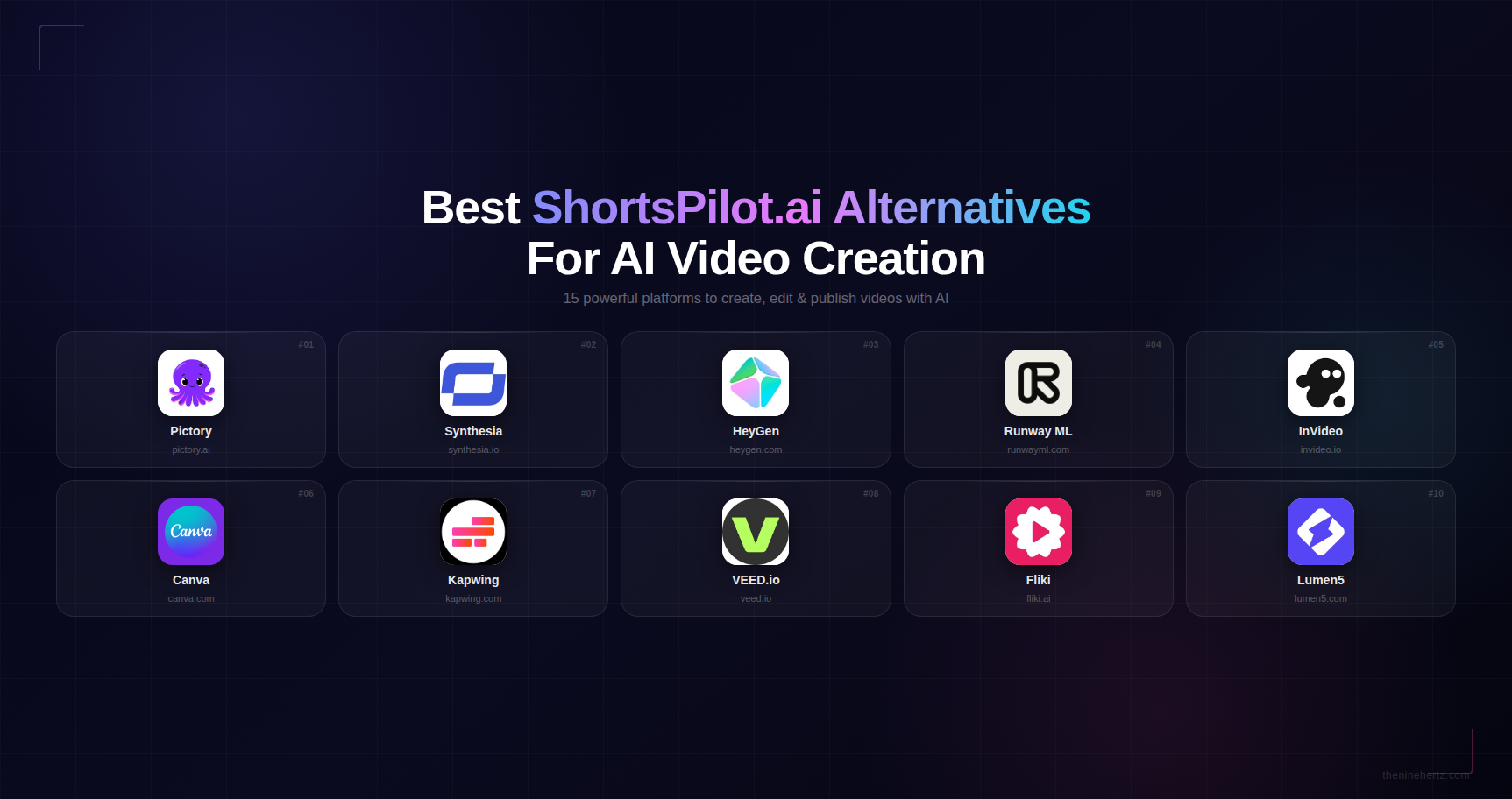
Quick Comparison: Best Alternatives to Shortspilot.ai at a Glance
Is Shortspilot.ai right for you? To help you quickly contrast the two apps without reading the whole thing, here are the top 10 Shortspilot.ai alternatives and what they do well:
| Tool Name | Features |
|---|---|
| Pictory | • Text-to-video conversion • Auto captions & subtitles • Large stock media library • Blog/video repurposing |
| Synthesia | • AI avatars • Multilingual voiceovers • Script-to-video • Professional templates |
| HeyGen | • Custom avatars • Voice cloning • Video translation • Brand customization |
| Runway ML | • Text-to-video generation • Advanced VFX tools • Motion tracking • Cinematic editing |
| InVideo | • Ready-made templates • AI voiceovers • Drag-and-drop editor • Stock footage access |
| Canva | • AI video generation • Magic Studio tools • Drag-and-drop editor • Pre-built templates |
| Kapwing | • Collaborative editing • Text-to-video • Subtitle generator • Timeline editor |
| VEED.io | • Auto subtitles • Voiceovers • Video effects • Screen recording |
| Fliki | • Text-to-video • AI voices (multiple languages) • Blog-to-video • Voice customization |
| Lumen5 | • Blog-to-video automation • Branding tools • Drag-and-drop editor • Stock media integration |
Top 15 shortspilot.ai Alternatives in 2025
Beyond Shortspilot.ai, there are plenty of powerful AI video tools in 2025 to make your life easier. From fully automated faceless video generators to advanced avatar video generating tools, each tool has something different to offer. Here are 15 of the best alternatives, listed in order of how best they perform.
1. Pictory

- Best For: Content repurposing
- Features: Text-to-video, auto captions, stock library
- Pricing: Free trial + Paid plans
The Pictory AI video editor has become one of the most popular. It can convert any type of long content into short, interesting videos. With Pictory, you can turn any blog post, podcast, or webinar into a short, interesting video people want to watch. You can edit the scene, captions, and images before exporting.
2. Synthesia

- Best For: Corporate & training videos
- Features: AI avatars, multilingual voiceovers
- Pricing: Free + Paid plans
Synthesia is a professional, realistic AI video maker. Synthesia is the only software that allows you to create videos where AI presenters talk to you in multiple languages. This is an excellent solution for training, marketing, and business content. Synthesia gives your content a face and not the faceless look of Shortspilot.ai. Over 50,000 teams use Synthesia, resulting in reduced costs.
3. HeyGen

- Best For: Marketing & social videos
- Features: Avatars, voice cloning, translation
- Pricing: Free + Paid ($29/month+)
HeyGen is an artificial intelligence video generator for avatars designed for marketers and creators who want to create powerful, high-quality videos without filming themselves. HeyGen can clone voice, create videos in multiple languages, and create your own avatar. The generator comes with a free plan and advanced features like 4K video exports or brand kits. Over 100,000+ businesses use it already.
4. Runway ML

- Best For: Creative storytelling
- Features: Text-to-video, VFX tools
- Pricing: Free + Paid plans
Runway ML is one of the most advanced video tools available today. It can turn simple text into high-quality videos with strong visuals and a cinematic feel. It’s a great choice for creators who want more than basic automation, offering real control over storytelling and effects. Its latest models focus on smooth motion, realistic detail, and dynamic scenes, which makes it popular with filmmakers and designers. It also includes a feature that can turn a single photo into a video, giving users even more creative flexibility.
5. InVideo

- Best For: Beginners & marketers
- Features: Templates, AI voice, stock media
- Pricing: Free + Paid
InVideo is a free AI video generator that combines the powerful templates of Shortspilot with automation, allowing you to create short videos for YouTube, ads, or other social media platforms. InVideo is a step above Shortspilot.ai, and features more control over editing, while still being simple. You can use thousands of templates, stock photos, and voice-overs to create a video using artificial intelligence.
6. Canva

- Best For: Simple video creation
- Features: Templates, AI clips, drag-drop editor
- Pricing: Free + Paid
Canva’s Magic Studio is now a place where you can make and edit AI videos. With the new Magic Studio, you can make and edit AI videos from text prompts using the drag-and-drop editor. You can import AI video models into Canva, ideal for art students who want simplicity and flexibility all in one place.
7. Kapwing

- Best For: Collaborative editing
- Features: Text-to-video, storyboard editor
- Pricing: Free + Paid
Kapwing is a fantastic place to get together and edit videos together using artificial intelligence technology, such as video. You can build videos out of text or images and then fine-tune every aspect of your video in a storyboard style editor. Kapwing is great for teams and people who need more control than automated tools.
8. VEED.io

- Best For: Social media creators
- Features: Subtitles, voiceovers, editing tools
- Pricing: Free + Paid
VEED.io is a free video editor, subtitle generator, voiceover generator, and video editor for social media users who want to make visually stunning videos without spending money on software. It is one of the sought-after alternatives to Shortspilot.ai.
9. Fliki

- Best For: Faceless YouTube content
- Features: Text-to-video, AI voices
- Pricing: Free + Paid
Fliki is an easy-to-use software that allows you to turn text into a video and add a realistic voiceover. It’s the best choice for faceless YouTube channels like Shortspilot.ai, but with more voice and language options. This tool is an asset for educational and storytelling videos.
10. Lumen5

- Best For: Blog-to-video
- Features: Automation, branding tools
- Pricing: Free + Paid
Lumen5 was developed for marketers who want to turn blog posts into video. It’s easy, quick, and efficient for turning content into visual content. Some people prefer it because it is easy to use and has branding options.
11. Wisecut
- Best For: Automated editing
- Features: Auto cuts, subtitles, music
- Pricing: Paid plans (~$23/month)
Wisecut is an AI-powered video editor that cuts silences, adds subtitles, and mixes background music to videos. It’s best suited for producers who already record videos but want the AI to handle the editing. Starting at $23/month, Wisecut is right for you.
12. Elai.io
- Best For: E-learning videos
- Features: Avatars, multilingual support
- Pricing: Free + Paid
Elai.io is another free and premium avatar video maker that can be made in various languages and with your company’s branding. It can be used in e-learning, training, or as a training aid.
13. DeepBrain AI
- Best For: Professional presentations
- Features: Realistic avatars, AI anchors
- Pricing: Paid plans
DeepBrain AI provides a very realistic avatar of a human-looking AI in video presentations. Its technology is used in business, finance, healthcare, and education, where professionalism matters most. It delivers a more human-like avatar than Shortspilot.ai.
14. Descript
- Best For: Podcast & video editing
- Features: Text-based editing, voice cloning
- Pricing: Free + Paid
Descript lets you edit your videos just like a text document using features like voice cloning, transcription, and screen recording. It is great for podcasters and YouTubers who want an editing-first workflow.
15. Kaiber
- Best For: Creative visuals
- Features: Image-to-video, animation
- Pricing: Paid plans
Kaiber is a clever video maker capable of making animated videos from prompts or images. It’s a popular tool in music videos, animation, and experimental videomaking. If you want something that looks more visually interesting than Shortspilot.ai, take a look at Kaiber.
How to Choose the Best shortspilot.ai Alternative for You
In most cases, the key to choosing the right alternative for Shortspilot.ai is to find a hosting provider that meets your expectations.
1. Define your content goals first
First off, do you want to produce faceless YouTube channels, TikTok Shorts, or professional marketing videos? Some are designed for bulk production, and some were designed for great storytelling or images. If you want to create quickly, then these may be right for you, but if your goal is branding and captivating, try tools that give you more creative control.
2. Evaluate the level of automation vs control you need
All AI video tools look different. Some are geared toward automation and speed, but not so much flexibility. Others give you total control over every part of the video-making experience- from scripts to visual effects and voiceovers. What style of production do you prefer? Set it and forget it or edit it? Choose one depending on your level of involvement in the production process.
3. Check output quality and customization options
If you are using the same video or the same old videos, people will quickly notice, and you won’t be able to sell as much because your content is less engaging. You’ll want software that offers professional images, realistic voice-overs, and the ability to customize, such as the company name, fonts, colors, and editing Features. The more unique your videos are, the better they will do on crowded sites.
4. Compare Pricing with actual value
There are many different Pricing options for a tool, from free to paid-for versions. But don’t just look at the price; think about what you’re getting for that price. Some tools may seem cheap, but they limit your exports, Features, or video length. Others may cost more, save you hours of work, or give you better results. Always weigh the time you’ve saved and the quality of your output against the price you’re paying.
Conclusion
The “best” alternative to Shortspilot.ai is going to depend on your content-creation strategy and goals. Some people pay more attention to quality, customization, and storytelling, so you can be creative and make a brand that stands out. In 2026, you don’t have to take one approach. You can use a combination of tools and combine automation and manual editing to get the results you want. Check out a free plan or basic platform if you’re just getting started. But if your goal is to grow your business, choosing a more advanced service will pay dividends in both quality and longevity.
You will want to take a look at all of these tools, try them out, and see which one best fits your needs.
FAQs
1. Can I use AI video tools without any editing experience?
Yes, the vast majority of AI video editing software packages are intended for beginners and provide templates, workflows, and interface designs to make getting started as easy as possible. You can create professional-quality videos in minutes if you’ve never edited a video before.
2. Will monetization of AI-generated videos via platforms like YouTube be an option?
Can they be, but it depends on quality and originality. Services such as YouTube favor unique content. If your videos are valuable in terms of storytelling, information, or creativity, you can make a living from them. Purely boring, no-work AI content will not.
3. Can I use these tools in more than one language?
Some AI video hosting plans are available for multiple languages, or with text-to-speech in a few dozens of languages. This is the perfect way to get your message out to a large audience or to create local videos without hiring a voice-over artist.
4. How long does it take to create a video with AI tools?
Depending on how complex the video is and what editor you choose, the whole process may take 10 to 30 minutes. Some tools are quicker than others and some are more flexible.
5. Can I use my voice or brand in the AI videos?
Yes. Some tools let you import your voice, use cloning or a voice, and add your brand. You can add your logo, colors, fonts, and even a tone for your brand.
Get in Touch with
AI Experts
Kapil Kumar is a leading voice in the field of Artificial Intelligence, blending deep technical expertise with a passion for innovation and real-world impact. As an accomplished author, researcher, and AI practitioner, he brings clarity to complex technologies—making AI not only understandable, but actionable. Whether decoding algorithms or envisioning ethical frameworks for AI, he is committed to guiding professionals, students, and tech enthusiasts through the rapidly evolving world of artificial intelligence.